Passport Photo Requirements, Size and Examples
A compliant passport photo needs correct dimensions, a clear front-facing pose, suitable lighting and an approved background. This guide uses current US passport photo rules for its numeric examples; other countries can differ.
Make a US passport photo
Free watermarked preview. Optional HD download uses 1 credit.
Upload or drag a selfie
JPG, PNG or WebP · front-facing photo
No image? Try one of these
Quick answer
What are the passport photo requirements?
Use a recent, color photo that is sharp and evenly lit. Face the camera directly, keep both eyes open and make sure nothing obscures your face. For a US passport, the finished photo is 2 × 2 inches (51 × 51 mm) on a plain white or off-white background. The head must measure 1 to 1 3/8 inches from the bottom of the chin to the top of the head.
There is no single worldwide passport photo standard. Check the dedicated country page and official issuing-authority source before submitting your application.
Photo checklist
Start with a source photo that can pass review
Face the camera directly
Keep your head level and centered. Both eyes should be visible, with no hair covering the face.
Use even, natural-looking light
Avoid hard shadows on your face or background, flash glare and strong color casts.
Keep the image sharp
Use the original photo instead of a screenshot. Avoid blur, heavy compression, filters and beauty retouching.
Leave space for the final crop
Include your full head and shoulders. A tightly cropped source gives the tool less room to meet the required dimensions.
US passport photo specifications
These measurements apply to US passport photos. Fogkits' US preset exports a 600 × 600 pixel JPEG at 300 DPI.
- Printed size: 2 × 2 inches (51 × 51 mm)
- Head height: 1 to 1 3/8 inches (25–35 mm)
- Background: plain white or off-white
- Pose: directly facing the camera with both eyes open
- Glasses: not allowed except for a documented medical exception
- File prepared by Fogkits: 600 × 600 px JPEG at 300 DPI
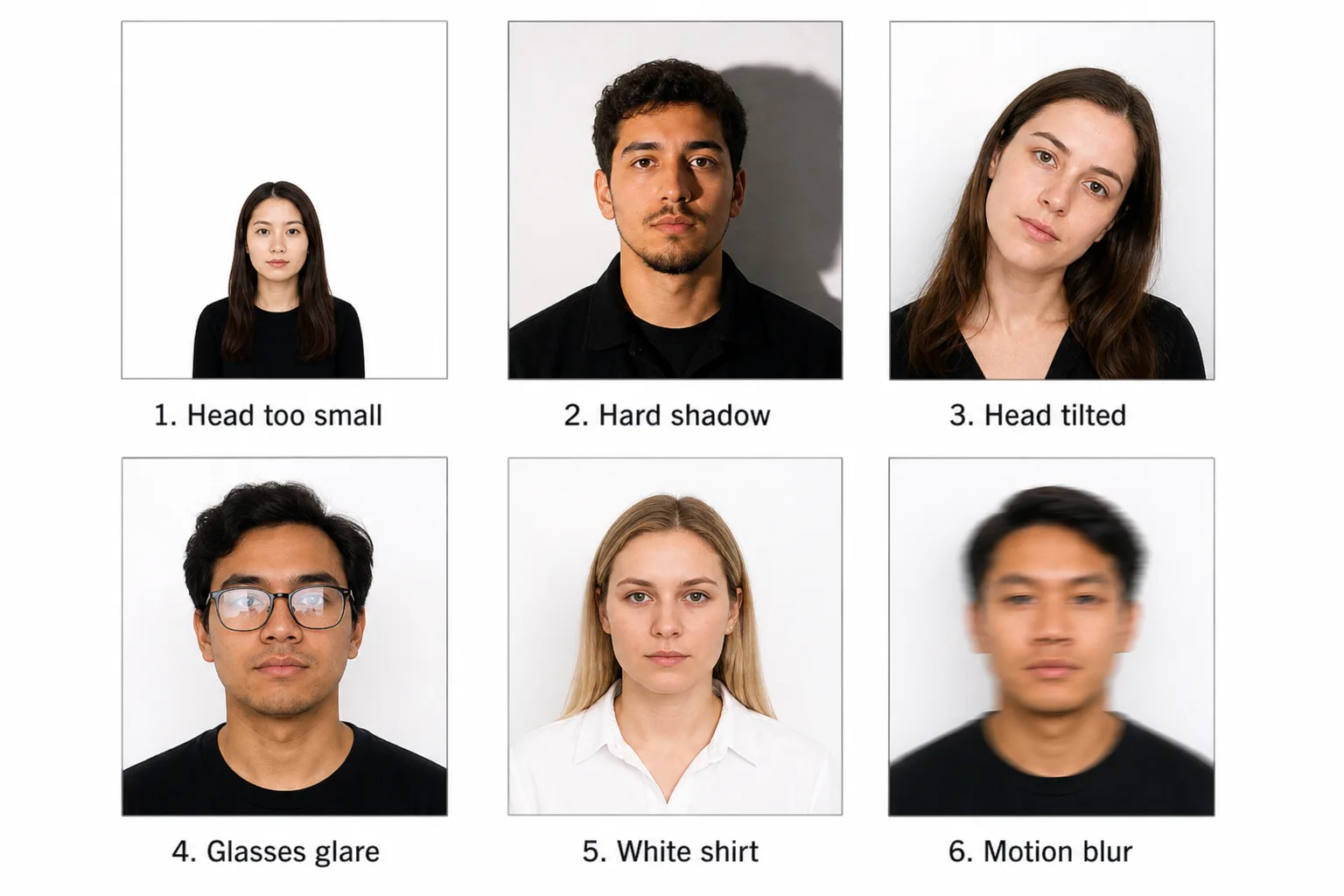
Common rejection reasons
Automated cropping cannot fix every problem in the original photo. Retake the image when the source has one of these issues.
Passport photo examples
Acceptable photos versus common failures
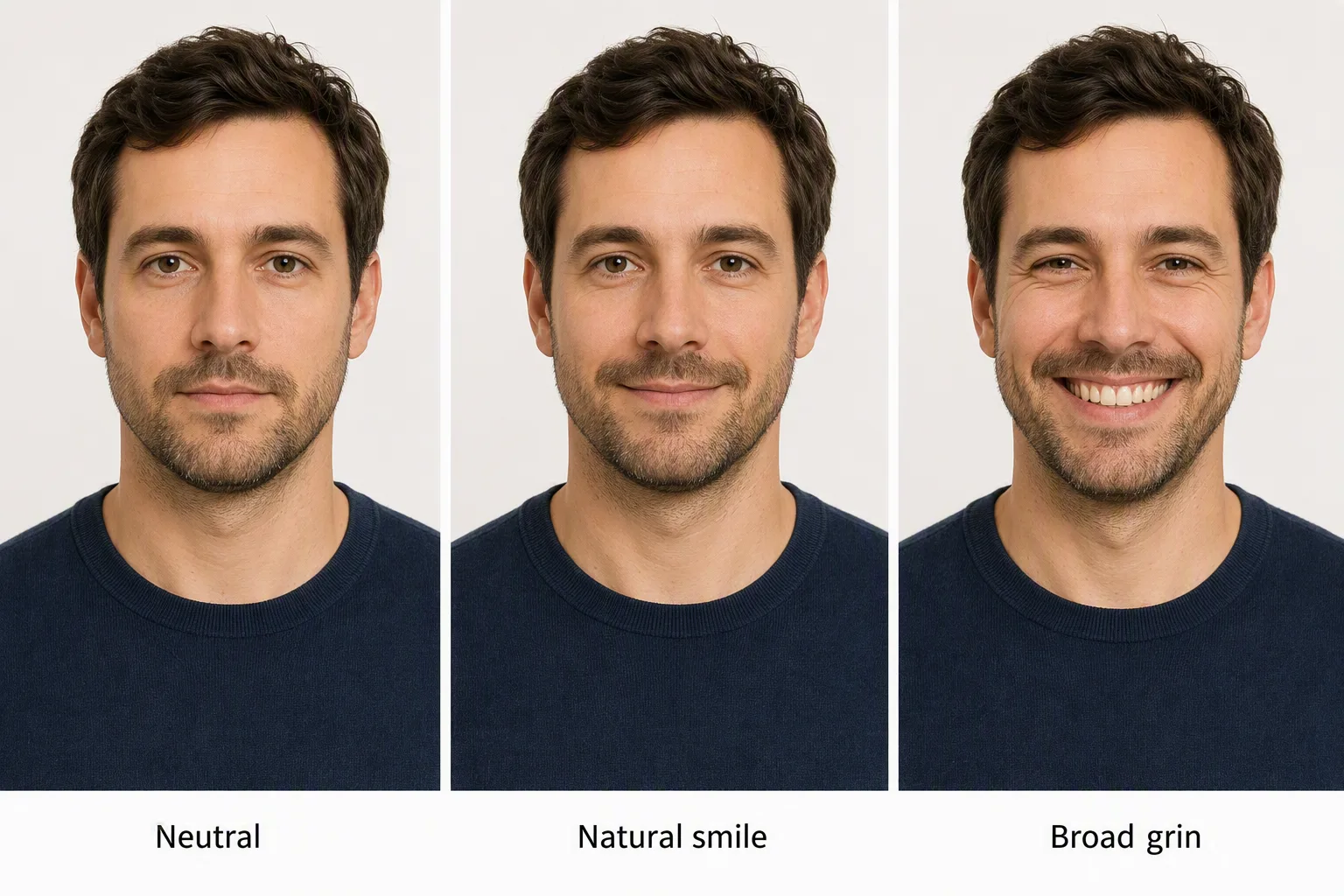
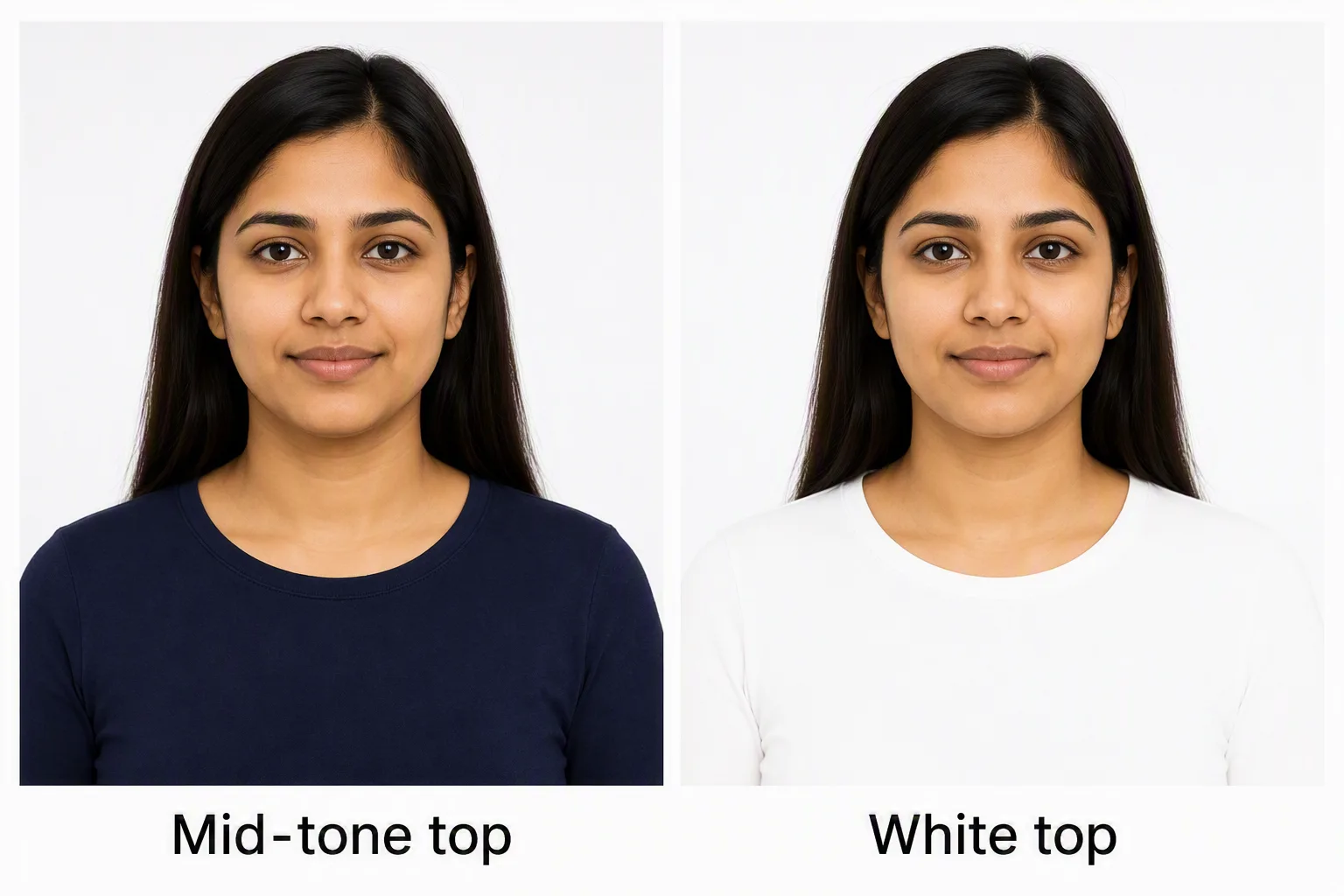
These comparison images are educational illustrations of source problems, not photos an issuing authority has reviewed. A Fogkits crop can still pass its pose checks while expression, glasses or clothing need a retake.
Requirements differ by country
Photo dimensions, background colors, head proportions and online-upload rules are set by each issuing authority. Choose your destination below for the preset and source used by Fogkits.
Guides for specific rules
The FAQ below is a short checklist. Use these pages when you need the full country difference, a setup, or a retake list.
Frequently asked questions
- What are the requirements for a passport photo?
- Use a recent, sharp, front-facing photo with your full face visible, a neutral expression, open eyes, even lighting and no distracting shadows. Size, background and digital-file rules vary by country, so check the issuing authority for your application.
- What size is a US passport photo?
- A US passport photo is 2 × 2 inches (51 × 51 mm). The US Department of State says the head must measure between 1 and 1 3/8 inches from the bottom of the chin to the top of the head.
- Can you smile in a passport photo?
- For a US passport photo, a neutral expression or a natural smile is allowed if both eyes stay open. A UK photo needs a closed-mouth neutral expression. Fogkits does not judge expression automatically.
- Can you wear glasses in a passport photo?
- Glasses are not allowed in US passport photos except in rare cases supported by a signed medical statement. Rules can differ by country.
- What should I wear for a passport photo?
- Wear everyday clothing and avoid uniforms or camouflage. Do not wear a hat or head covering unless it is worn continuously for religious or documented medical purposes and does not obscure the face.
- Can I take my own passport photo?
- You can take the source photo at home if the issuing authority accepts self-taken photos. Use even front lighting, keep the camera at eye level and leave space around the head and shoulders. An iPhone can capture the source; it still has to meet the same size and pose rules.
Official sources
Fogkits prepares a crop and background to the selected preset. It does not replace the issuing authority. Requirements can change, so use the live official page as the final check.
- US Department of State: Photos — last checked 10 September 2026.
- GOV.UK: Passport photo requirements — last checked 10 September 2026.